CLAUDE WATERMARK REMOVER · PRACTICAL TEST
Does this cleaner remove NUL, backspace and escape controls?
No. Our fixtures retain U+0000, U+0008 and U+001B. A no-findings message describes the selected five-character map; it does not certify text free of ASCII controls.
Open the Claude text cleaner · Full measured data
Measured inputs and outputs
These are locally constructed test strings, not evidence that Claude inserts these characters. We executed the saved homepage script snapshot with a minimal DOM harness and compared exact strings. Invisible removal is enabled; the dash mode appears in each row. The observations below test this page's specific question. We make no detector-score or statistical-watermark removal claim.
| Fixture and mode | Input string and code points | Output and cleaner status | Observed before / after |
|---|---|---|---|
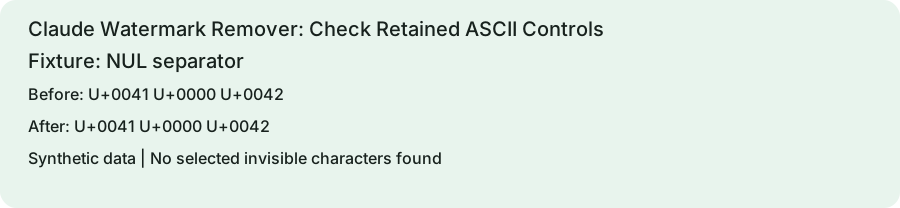
| NUL separator direct string / keep | "A\u0000B"U+0041 U+0000 U+0042 | "A\u0000B"No selected invisible characters found | {"controls":["U+0000"],"utf16":3}{"controls":["U+0000"],"utf16":3} |
| Backspace direct string / keep | "A\bB"U+0041 U+0008 U+0042 | "A\bB"No selected invisible characters found | {"controls":["U+0008"],"utf16":3}{"controls":["U+0008"],"utf16":3} |
| Escape prefix direct string / keep | "\u001b[31mred\u001b[0m"U+001B U+005B U+0033 U+0031 U+006D U+0072 U+0065 U+0064 U+001B U+005B U+0030 U+006D | "\u001b[31mred\u001b[0m"No selected invisible characters found | {"controls":["U+001B","U+001B"],"utf16":12}{"controls":["U+001B","U+001B"],"utf16":12} |
| Control plus selected marker direct string / keep | "A\u0000B"U+0041 U+0000 U+200B U+0042 | "A\u0000B"Removed 1 invisible character | {"controls":["U+0000"],"utf16":4}{"controls":["U+0000"],"utf16":3} |
Retained controls in four runs
The first three strings are unchanged, including their control code points. Their status reports no selected invisible characters. The fourth loses U+200B and retains NUL; the status reports that one deletion. Our observer lists the remaining controls numerically, so a terminal or browser cannot conceal them through display behavior. We do not emit the escape fixture as raw terminal output. The JSON download stores the complete strings using escaped representations for inspection.
Different layers treat controls differently
JavaScript strings can contain these code points, which is the representation tested here. A terminal, database, clipboard or file importer can interpret or reject them differently. The escape fixture resembles terminal color syntax but this experiment does not render it in a terminal or assert any security result. The selected deletion set is visible in the saved homepage script. Its narrow map explains the outcome more reliably than a general promise that all hidden text has been cleared.
Inspect the destination requirements
If an import fails after cleanup, inspect the full code-point list and the destination format rules. For plain text, decide explicitly which controls are allowed, such as tab and line feed, instead of deleting the whole ASCII control range. Preserve an original and test the exact destination application after any targeted repair. The homepage does not validate terminal sequences, sanitize logs or enforce a database policy. These four cases demonstrate retained controls and removal-count scope only.
Reproduce this test
Save reproduce.cjs and tested-app.js in the same folder. Run the command below with Node.js. The harness prints its runtime, script SHA-256 and every measured row. Compare those rows with the original record. Using a newer script or runtime creates a new experiment; retain the version information with your rerun.
node reproduce.cjsReference and next check
ECMAScript string operations provides the relevant primary definition. The table and fixture analysis are original measurements. For broader inspection, use our Unicode inspector. Read the scope distinction before interpreting cleanup as a watermark result.